How it works
How to crop an image
Upload an image, frame the area you want to keep and save the crop.
Choose an image
This crop page accepts JPG / JPEG, PNG, WebP, GIF, BMP, HEIC / HEIF, SVG images. Open one image at a time, up to 25 MB.
Choose what to keep
Move or resize the crop selection, or enter exact crop dimensions. Use Square, Landscape, Portrait or Widescreen if one of those shapes fits your task.
Download the crop
Check the edited preview and choose Cropped image. Reset crop returns the selection to the full original image.
Understand your result
Keep the subject. Leave out the extra space.
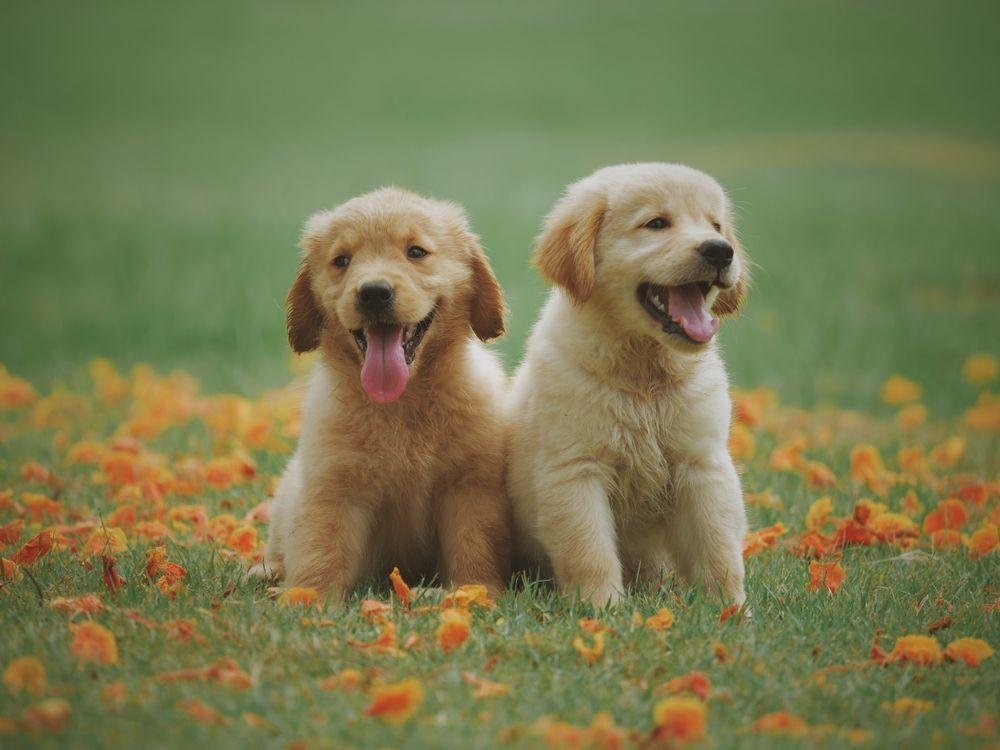
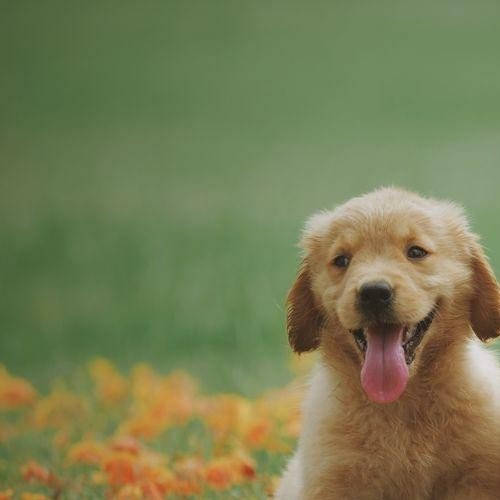
The square crop brings this dog photo into a tighter frame. Compare the original with the cropped output to see which surrounding areas were removed.
Position the crop box around the details you want to keep before downloading.


Actual sample output · Photo from Pexels. Your settings and photo will affect the result.
Browser limits vary. If worker canvas processing is unavailable, the standard-canvas path accepts up to 12 megapixels per input/output and smaller animations (up to 60 frames and 12 million total input/output frame pixels). Try smaller files if your device cannot complete a task.
Example photo: Pexels source photo, used under the Pexels licence. The example illustrates settings; it is not an endorsement or an acceptance guarantee.
Before you save
- Cropping removes content outside the selection. It does not resize a whole scene to fit inside a smaller frame.
- Crop dimensions are measured in image pixels. A 300 × 300 crop is not automatically a 35 mm passport photo; print size also depends on layout and print settings.
Common questions
Does cropping stretch the image?
No. It keeps the selected rectangle. Choosing an aspect ratio constrains the crop shape; it does not squeeze the original image.
Can I recover an area after cropping?
Before downloading, use Reset crop or move the selection. The source file on your device is unchanged, so reopen it to make a different crop later.
Can I crop more than one image at once?
This crop tool handles one image at a time so you can check each selection. Save the result, then change the image for another crop.